Why Schedule Your Tweets?
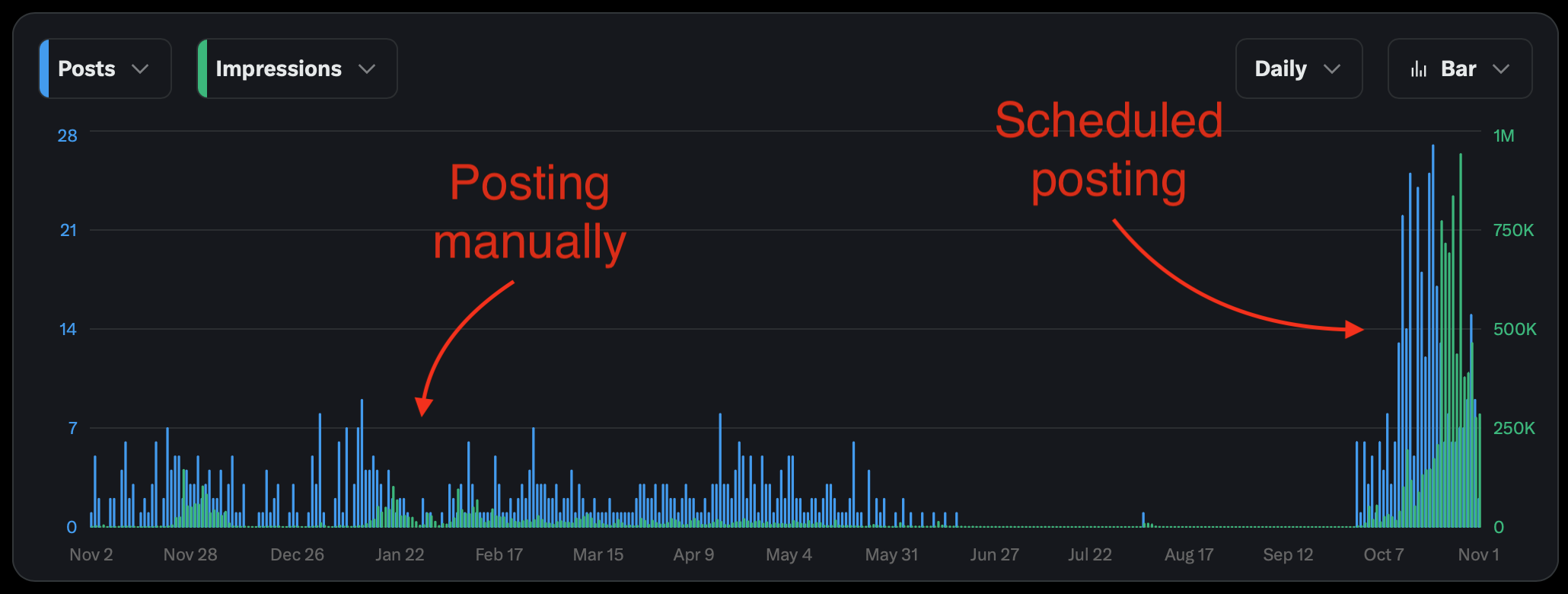
Consistency is the key to growing your Twitter presence. When you schedule your tweets, you can maintain a regular posting schedule without being glued to your device all day.
The X algorithm favors accounts that post regularly. If you disappear for a week, your reach plummets. But who has time to post 3 times a day, every day?
Best Times to Post
The best time to post varies by audience, and there is no universal answer worth trusting. As a starting point to test against:
- Weekdays between 9 AM - 3 PM tend to get good engagement
- Wednesday and Friday often see higher engagement rates
- Avoid posting late at night when your audience is asleep
The key is to test different times and see what works for your specific audience.
How to Use OpenTweet
Getting started with OpenTweet is simple:
- Connect your Twitter account - One-click OAuth integration
- Create or import your posts - Write manually or bulk upload via JSON
- Schedule them at optimal times - Use AI suggestions or pick your own
- Monitor your analytics - Track what's working and double down
The Batch Creation Method
Here's a productivity hack used by top creators:
- Block out 1-2 hours on Sunday
- Get into a creative flow state
- Write 10-20 tweets in one sitting
- Schedule them throughout the week
- Spend the rest of the week engaging with your audience
This approach is 10x more efficient than scrambling to write something every single day.
Tips for Success
Here are some tips to maximize your Twitter growth:
- Post consistently - aim for 2-3 times per day minimum
- Use a mix of content types - educational, entertaining, personal
- Engage with your audience regularly - scheduling posts gives you more time for this
- Track what works and double down on it
- Don't overthink it - done is better than perfect
Common Mistakes to Avoid
Posting Too Randomly
If you post 5 times on Monday and then nothing until Friday, the algorithm thinks you're inactive. Consistency matters more than volume.
Ignoring Analytics
Schedule posts at different times and track the results. What works for others might not work for your audience.
Only Scheduling, Never Engaging
Scheduling is a tool to free up time for engagement, not to replace it. The best growth happens when you're actively engaging with your community.
Ready to Start?
Stop stressing about daily posting. Batch-create your content, schedule it strategically, and focus on what really matters: building relationships with your audience.
Sign up for OpenTweet today and take control of your Twitter presence.
Start Scheduling Your X Posts Today
Join hundreds of creators using OpenTweet to stay consistent, save time, and grow their audience.